
 0
0


A WordPress site can feel deceptively simple: pick a theme, install a few plugins, publish pages, done. Then traffic grows, marketing wants landing pages yesterday, sales asks for HubSpot, your ops team needs role-based access, and your checkout slows down right when a campaign hits.
Non-technical founders do not fail because WordPress “can’t scale.” They fail because early decisions quietly lock them into fragile infrastructure, plugin sprawl, and unclear ownership. The good news is that you can build a WordPress foundation that stays fast, secure, and easy to extend, while keeping costs predictable.
WHAT'S IN THE ARTICLE
Start with outcomes, not pages
Before domains, themes, or page builders, define what “working” means in measurable terms. A WordPress site is usually part of a funnel, not the product itself, so tie the build to business metrics and decision-making.
A practical starting point is to document the few actions that matter: demo requests, purchases, lead captures, bookings, newsletter signups, job applications, or support deflection. Once those are clear, you can make engineering choices that protect conversion, uptime, and iteration speed.
This is also where many teams overspend. They build a “full site” when they really need an MVP that proves messaging and acquisition.
After you have the outcomes, write down the constraints: compliance expectations, content ownership, integrations, and your time-to-launch. Those constraints determine your architecture more than aesthetics ever will.
Selecting the hosting and architecture approach
Founders often hear “WordPress” and assume it’s one thing. In practice, you are choosing a control model.
WordPress.com is managed and convenient, with limits around plugins, deeper customization, and infrastructure access depending on the plan. WordPress.org is self-hosted WordPress, meaning you control hosting, plugins, code, security posture, and performance tuning.
If your roadmap includes custom functionality, complex analytics, advanced SEO control, regulated-domain requirements, or serious performance work, self-hosted WordPress is usually the safer bet. If you need a minimal marketing site with few moving parts and your team wants to avoid technical ownership, WordPress.com can be enough.
Either way, decide early who owns uptime, backups, security monitoring, and incident response. “Nobody” becomes the default in many startups, right until the first outage.
Pick hosting based on your scaling path, not today’s traffic
Hosting is the easiest place to “save money” and the most expensive place to be wrong. A slow site can drag conversion rates down, while unstable hosting turns every marketing push into a risk.
A solid hosting choice depends on your content model (static pages vs dynamic membership vs WooCommerce), your traffic patterns (steady vs spiky), and how much technical oversight you can commit to.
Here is a quick way to think about common options:
| Hosting approach | Best when | Risks to plan for | Typical scaling move |
| Shared hosting | Very early validation, low traffic | Noisy neighbors, slow response, limited tuning | Upgrade to managed WordPress |
| Managed WordPress hosting | Marketing sites, content-heavy SEO | Plugin conflicts still on you, plan limits | Add CDN, stronger caching, staging discipline |
| Cloud VM (self-managed) | You need control, custom stack, cost tuning | Requires DevOps maturity, patching burden | Add autoscaling, separate DB, object cache |
| Containerized on cloud (managed) | High scale, reliability goals, multiple environments | Higher setup complexity | Full performance budgets and automated releases |
A founder-friendly rule: if your site is revenue-generating or lead-critical, budget for managed WordPress hosting early, plus a CDN. You are buying reduced operational risk and faster iteration.
Build a lean site architecture that teams can maintain
WordPress gives you many ways to build pages: classic editor, block editor, page builders, custom themes, headless builds. The “best” option is the one your team can operate without creating future debt.
A maintainable architecture typically has:
- A small set of content types (pages, posts, landing pages, case studies)
- A consistent design system (typography, spacing, components)
- Reusable blocks or patterns for marketing to publish fast
- A clear boundary between content editing and developer-only logic
After you define those boundaries, document them. A one-page “publishing guide” prevents accidental layout drift and keeps the site looking like one brand, not ten.
This is also where non-technical leaders can set a valuable constraint: fewer page templates, more reuse. Reuse scales. Custom one-off pages multiply QA time.

Looking to Build an MVP without worries about strategy planning?
EVNE Developers is a dedicated software development team with a product mindset.
We’ll be happy to help you turn your idea into life and successfully monetize it.
Theme and builder decisions: control your blast radius
The theme and page builder you pick shapes performance, security, and how hard it is to change vendors later.
A common failure mode is choosing a heavy multipurpose theme plus multiple builders plus dozens of add-ons. It feels fast at the start, then becomes hard to debug and slow to ship.
Aim for a setup where one primary method controls layout. Mixing Elementor, WPBakery, shortcodes, and custom templates makes long-term changes painful.
When evaluating themes or builders, ask for these proofs:
- Can we meet Core Web Vitals with this stack?
- Can we export content without breaking formatting?
- Can non-technical staff publish without risking layout issues?
- How do updates affect our pages?
If your site is central to acquisition, performance and edit-safety should outrank “cool” animations.
Plugin strategy: fewer, stronger, and reviewed
Plugins are the WordPress superpower and the WordPress risk. Each plugin adds code, update cycles, potential vulnerabilities, and compatibility surface area.
A good plugin strategy starts with an audit mindset: every plugin should have a measurable purpose, a known owner, and a replacement plan.
After you set that expectation, create selection criteria and stick to it.
- Business value: Does it increase conversions, speed, security, or editorial velocity?
- Operational fit: Update frequency, support reputation, clear changelogs
- Technical fit: Performance impact, compatibility with your editor and PHP version
- Exit plan: Can you remove it without rebuilding the whole site?
One more note: many plugins overlap. One “do everything” marketing plugin can create lock-in and bloat. Sometimes two simpler tools are safer than one giant suite.
Security that matches real risk (without slowing the team)
Most WordPress incidents are preventable with basics done consistently. Security is not one tool, it is routine.
Start with non-negotiables: strong authentication, least-privilege access, patching discipline, backups you can restore, and monitoring that alerts a real person.
A practical baseline many teams use:
- Access: Enforce MFA for admins and editors.
- Permissions: Give marketing editor rights, not admin rights.
- Updates: Monthly scheduled updates, with faster patching for critical CVEs.
- Backups: Daily automated backups plus on-demand before releases.
- WAF and rate limiting: Block common attacks and credential stuffing.
- Logging: Keep audit logs for admin actions and login attempts.
If you operate in regulated spaces (fintech, healthcare, insurance), treat WordPress as part of your compliance boundary. That means documented controls, vendor reviews, and clear ownership for incident response.
Performance is a product feature
Speed impacts conversions, SEO, paid acquisition efficiency, and user trust. It is not “technical polish.” It is a revenue line item.
Treat performance as a budget. Set thresholds for homepage load time, interaction readiness, and image weight. Then enforce those thresholds through tooling and process.
Key performance levers that usually matter most:
- Caching strategy (page cache, object cache where needed)
- CDN and image optimization (next-gen formats, proper sizing)
- Database hygiene (revisions, transient cleanup, bloated options)
- Plugin and theme weight (avoid loading entire libraries site-wide)
- Third-party scripts (tag managers, chat widgets, heatmaps)
One sentence that saves founders money: every new script must justify itself with measurable lift.
SEO and analytics: design for attribution, not vanity
WordPress can rank well, but only if the site architecture and tracking are designed intentionally. Many teams “do SEO” as a checklist, then realize they cannot attribute pipeline to content.
Start with measurement: define events and conversions in analytics, align them with your CRM, and validate the flow end-to-end. Once measurement is trustworthy, content work becomes a compounding asset.
This is also where technical decisions matter: URL structure, canonical tags, schema, internal linking, redirects, and page speed.
If you plan to publish at volume, plan your taxonomy carefully. A messy category and tag system creates thin pages and confuses both users and search engines.
Scaling content operations without breaking quality
Scaling a WordPress site is often less about servers and more about publishing workflow. When content velocity rises, quality drops unless you set guardrails.
Good guardrails look like:
- Staging environment with approvals
- Reusable blocks for common sections (hero, social proof, FAQ)
- Editorial checklist for SEO basics and accessibility
- Role clarity: who writes, who edits, who publishes, who reviews legal/compliance
When these guardrails exist, marketing can move fast without constantly asking developers to fix layout issues.

Proving the Concept for FinTech Startup with a Smart Algorithm for Detecting Subscriptions
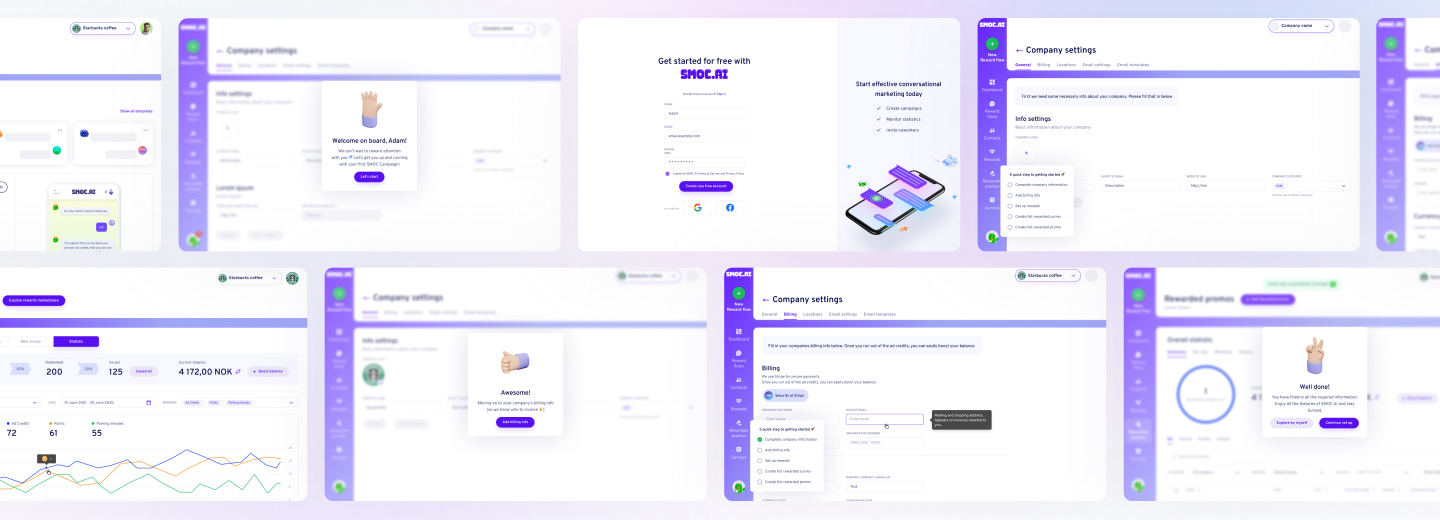
Scaling from Prototype into a User-Friendly and Conversational Marketing Platform
A practical roadmap from MVP to scale
Most founders benefit from a staged plan that reduces risk while keeping launch speed high. Here is a common sequence that works well for startups and also holds up for larger organizations.
- MVP launch: prove messaging, capture leads, ship fast
- Stabilize: tighten security, performance, and analytics
- Systemize: blocks, templates, publishing workflow, QA
- Scale: integrations, personalization, multilingual, advanced CRO
- Harden: monitoring, incident runbooks, compliance evidence
This roadmap keeps you from overbuilding early while avoiding the “we’ll fix it later” trap that becomes expensive.
Most painful WordPress scale problems are predictable. Avoiding them is usually cheaper than fixing them later.
- Plugin sprawl with overlapping functionality
- No staging environment, changes made directly in production
- Analytics installed but not validated, leading to bad decisions
- Heavy themes and page builders that slow the site over time
- No ownership for updates, backups, and security monitoring
If any of those are already true for your site, you do not need a full rebuild right away. A focused audit and stabilization sprint often gets you back to a healthy baseline quickly.
When to custom-build vs stay close to core WordPress
Custom development is justified when it unlocks measurable outcomes: faster publishing, improved conversion, reduced operational load, or unique functionality that plugins cannot provide safely.
It is not justified when it exists to match a design reference pixel-for-pixel, or to add novelty that does not move metrics.
A useful rule: if a plugin solves the problem cleanly and does not create lock-in or performance issues, use it. If the plugin ecosystem forces compromises that affect security, speed, or data ownership, build the smallest custom solution that meets the requirement.
Working with an agency or dev partner: what to demand as a CEO
Many WordPress projects fail quietly through weak delivery process. Pages ship, but quality is inconsistent, tracking is wrong, and scaling becomes slow.
Ask your partner to commit to operational clarity, not just design comps.
- Definition of done: Performance targets, SEO checks, analytics validation, security checks.
- Release process: Staging, QA, rollback plan, backup before changes.
- Ownership model: Who updates plugins, who monitors uptime, who responds to incidents.
- Metrics: What gets tracked, how experiments are evaluated, how improvements are prioritized.
At EVNE Developers, the work is typically organized around validated learning and business metrics, not feature output. That approach tends to keep WordPress builds lean, measurable, and easier to scale, whether the need is a rapid MVP, a redesign with performance goals, or a rescue of a site that has become hard to maintain.
If you are considering outside help, ask for a short discovery phase that results in a prioritized backlog, a risk register, and a measurable launch plan. Even when you do not proceed, that clarity is valuable.

Need Checking What Your Product Market is Able to Offer?
EVNE Developers is a dedicated software development team with a product mindset.
We’ll be happy to help you turn your idea into life and successfully monetize it.
Conclusion
A useful next step is a short assessment that reviews your hosting, theme and plugin footprint, performance metrics, security posture, and analytics integrity. The output should be concrete: what to change now, what to postpone, what it costs, and which actions move conversions or reduce risk.
If you share your current URL, growth targets, and the next two quarters of marketing plans, a product-focused team can map a practical build and scaling path and highlight the decisions that will matter most.
To ensure scalability, choose a reliable hosting provider, use lightweight themes and plugins, implement caching, and regularly update your site. As your traffic increases, consider upgrading your hosting plan, optimizing your database, and leveraging Content Delivery Networks (CDNs).
Essential plugins include security (e.g., Wordfence), SEO (e.g., Yoast SEO), caching (e.g., WP Rocket), backup (e.g., UpdraftPlus), and analytics (e.g., Google Site Kit). The right plugins depend on your business needs, so always evaluate plugin quality and support before installing.
Keep WordPress core, themes, and plugins updated. Use strong passwords, enable two-factor authentication, install a reputable security plugin, and schedule regular backups. Limit user permissions and consider using a web application firewall for added protection.
Yes, most websites can be migrated to WordPress. The process involves exporting your current content, importing it into WordPress, and configuring themes and plugins to match your brand. For complex migrations, it’s advisable to work with experienced developers to avoid data loss or downtime.
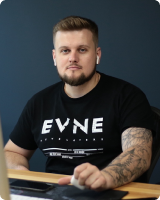
About author
Roman Bondarenko is the CEO of EVNE Developers. He is an expert in software development and technological entrepreneurship and has 10+years of experience in digital transformation consulting in Healthcare, FinTech, Supply Chain and Logistics.
Author | CEO EVNE Developers